Edit Managed File
Please note
Only principal users can edit fields in the Managed File editor.
Move Fields#
Click the field you want to move.
Drag it into the required position.
Click
Save Fieldsto save your changes.
note
To move multiple fields together, select the group of fields, then drag them into the required position.
Resize Text Fields#
Select the
Text Fieldyou want to resize.Drag its corners to adjust the size.
Click
Save Fieldsto save your changes.
Remove Fields#
Select the
text field,text area, orcheckboxyou want to remove.Press the
Deletekey on your keyboard.Click
Save Fieldsto save your changes.
Mac users
Use fn + delete to remove a selected field.
Edit Field Shortcuts#
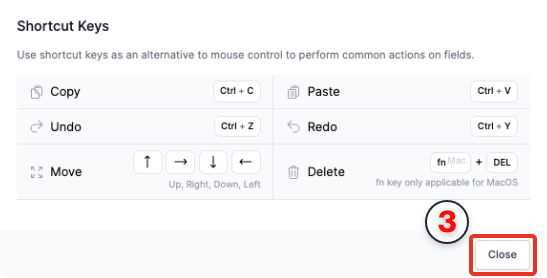
Use keyboard shortcuts to perform common editing actions.
- Click
Shortcutsin the top-right corner of theEdit Fieldstoolbar.
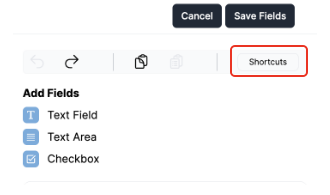
Review the available shortcuts in the
Shortcut Keysdialog box.Click
Closeto return to the editor.