Cover Pages
info
Cover Pages are used to support the attachment of external PDFs for signing when a suitable existing form is not available. This feature is available for ACT and NSW form only.
Check out our video tutorial or read the step-by-step instructions below!
Create a Cover Page#
Click
Formsin the left-hand menu.Click
Createat the top-right corner of the screen.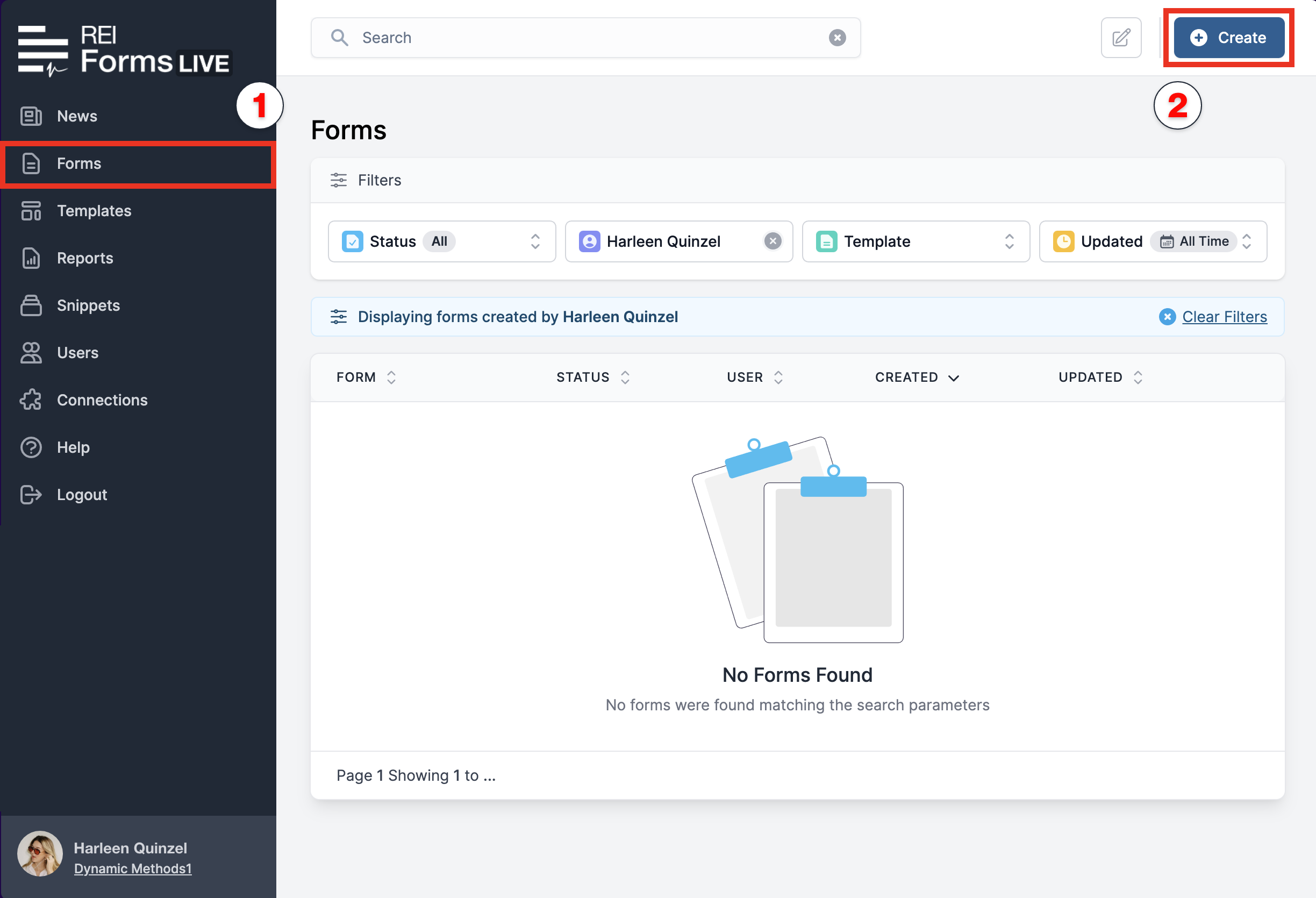
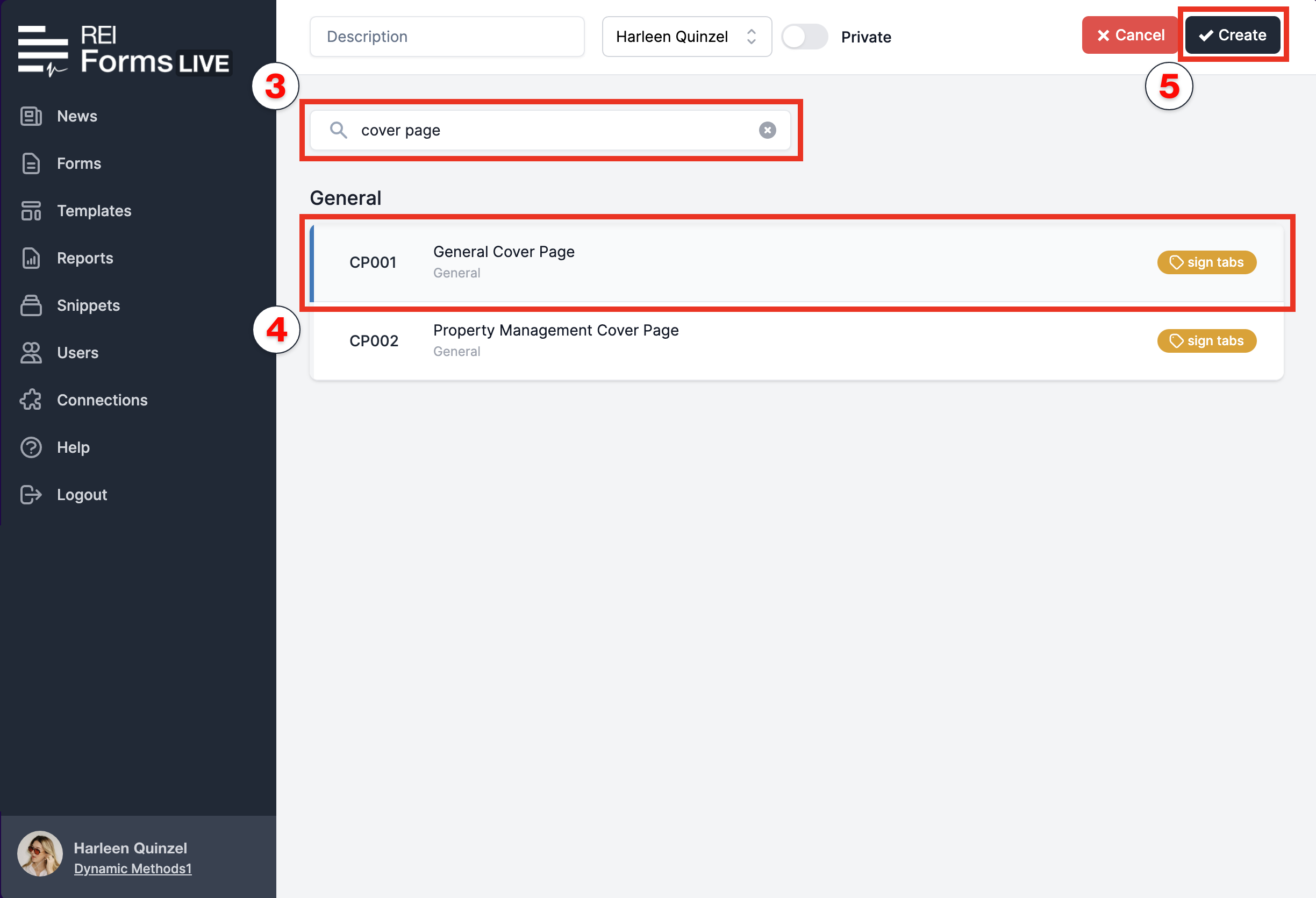
In the
Search Formsfield, type Cover Page.Select the required cover page from the list.
Enter a name for your cover page in the
Descriptionfield at the top of the screen, then clickCreate.
select from 3 Cover Pages
General Cover Pages: for documents requiring signatures from clients.
Contract Cover Pages: for documents requiring Vendor or Buyer signatures.
Property Management Cover Pages: for documents requiring Tenant or Landlord signatures.
Next Steps#
You will be redirected to the selected cover page. To attach and complete an external PDF, follow the instructions here.
- Edit and complete the attached PDF and cover page as required.
note
For the full instructions on how to add fields to your uploaded PDF see PDF Completion Guide.