Add a Managed File to a Form
Please note
All users can add an existing Managed File to their form.
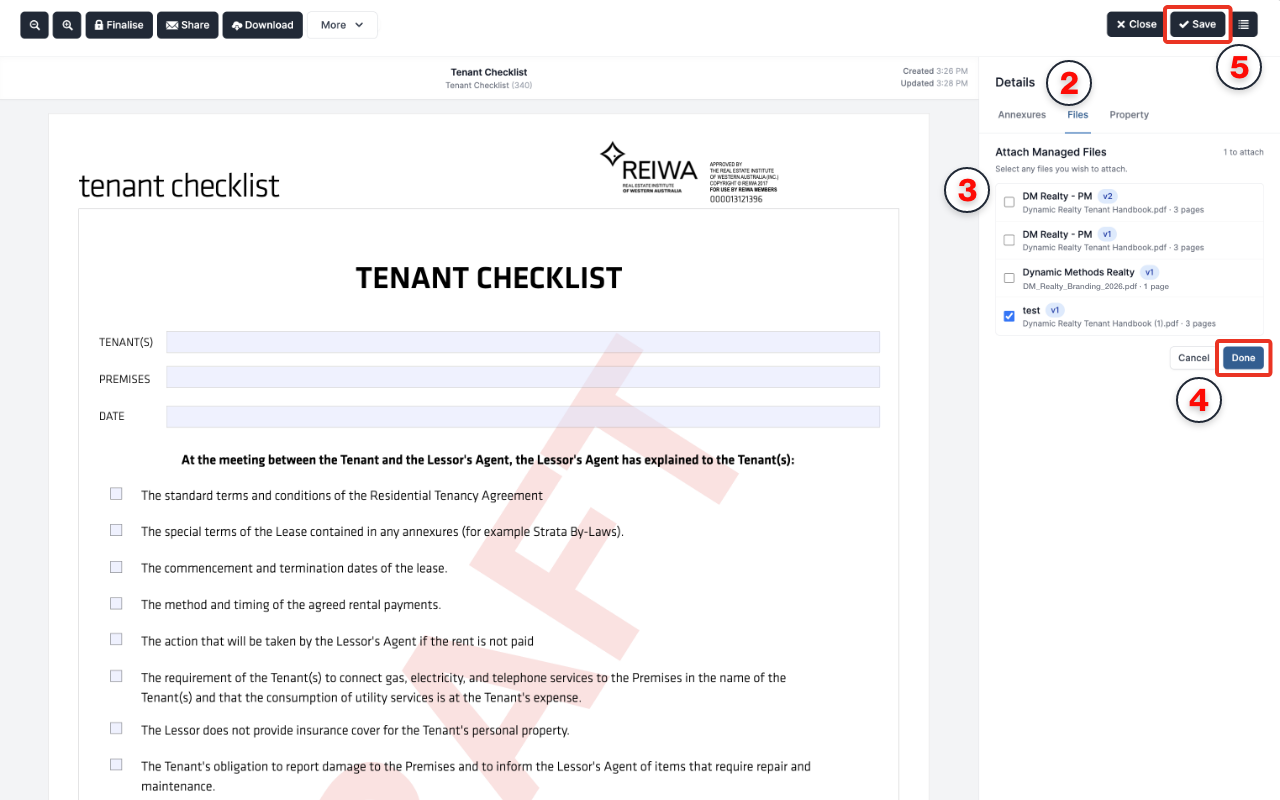
Once a form is created, attach a managed file from the in-form sidebar.
Open the form you want to attach a managed file to.
Click
Filesin the form’s sidebar.Select the managed file you want to attach.
Click
Done.Once the PDF is attached, edit its fields as required. For instructions on adding and editing text fields and checkboxes, see PDF Completion.
Save your changes.